Sideline WiFi caseSideline wifi-case
One case, one battery, WiFi along the whole sideline. This manual shows how to get it ready for use and for transport.Eén case, één accu, wifi langs de hele zijlijn. Deze handleiding laat zien hoe je hem klaarmaakt voor gebruik en voor transport.
- Set-upOpzetten
- ≈ 5 min
- RuntimeLooptijd
- ≈ 7–8 h
- BatteryAccu
- 288 Wh
Modelled from photos of the real case; sizes are approximate.Gemodelleerd naar foto's van de echte case; maten zijn bij benadering.
What's in the caseWat zit er in de case
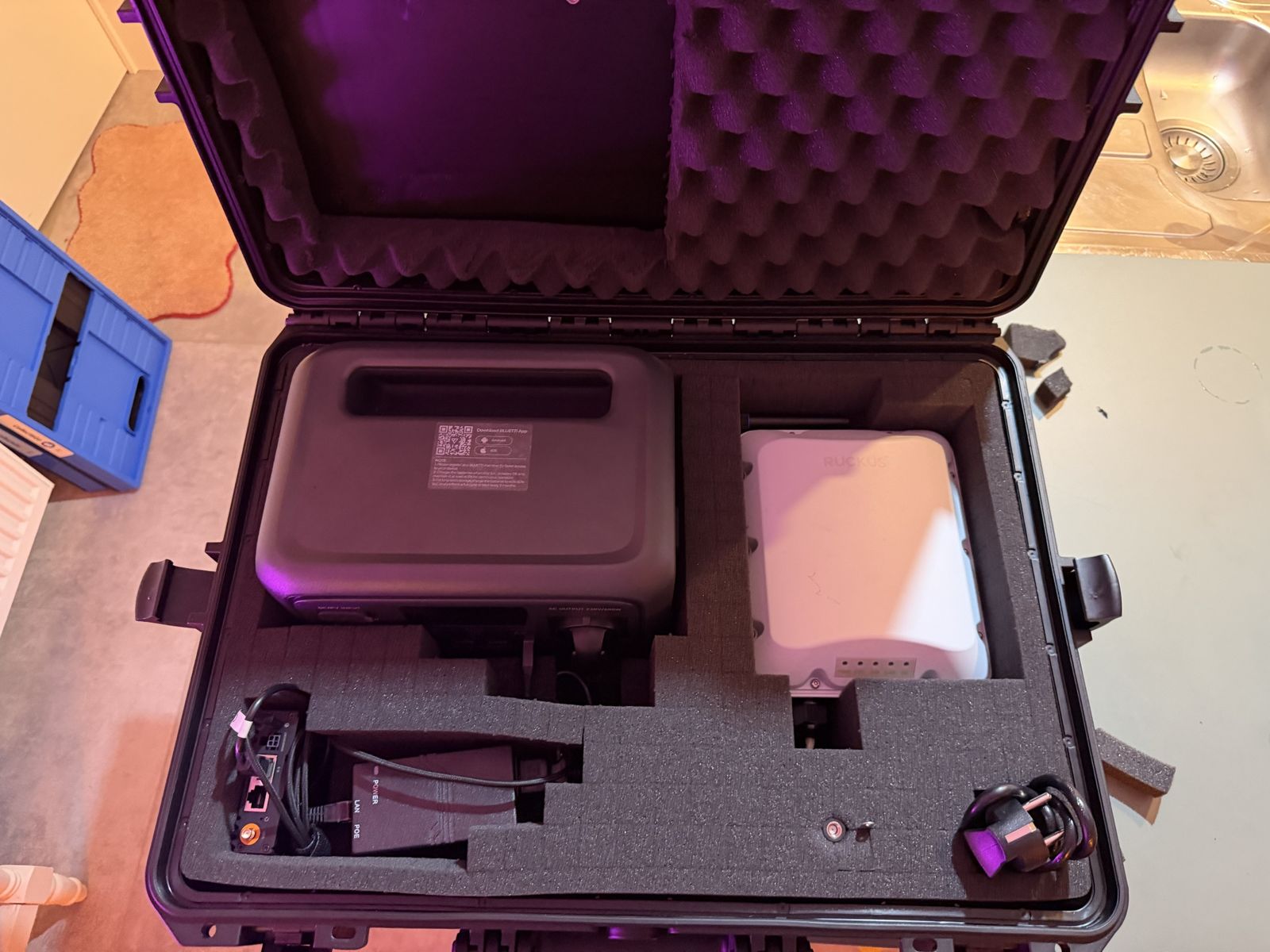
Everything lives in pick-and-pluck foam. Each part has its own pocket, so you can see at a glance if something is missing.Alles zit in plukschuim. Elk onderdeel heeft een eigen vak, zodat je in één oogopslag ziet of er iets ontbreekt.
Before game dayVoor de wedstrijddag
Do this the evening before. Tick the boxes as you go.Doe dit de avond ervoor. Vink af wat klaar is.
Getting ready for useKlaarmaken voor gebruik
The case stays open until the last step. Pick a high spot with a clear view of the sideline and stands, in the shade if it's sunny.De case blijft open tot de laatste stap. Kies een hoge plek met vrij zicht op de zijlijn en de tribune, in de schaduw als de zon schijnt.
-
Screw on the LTE antennasDraai de LTE-antennes erop
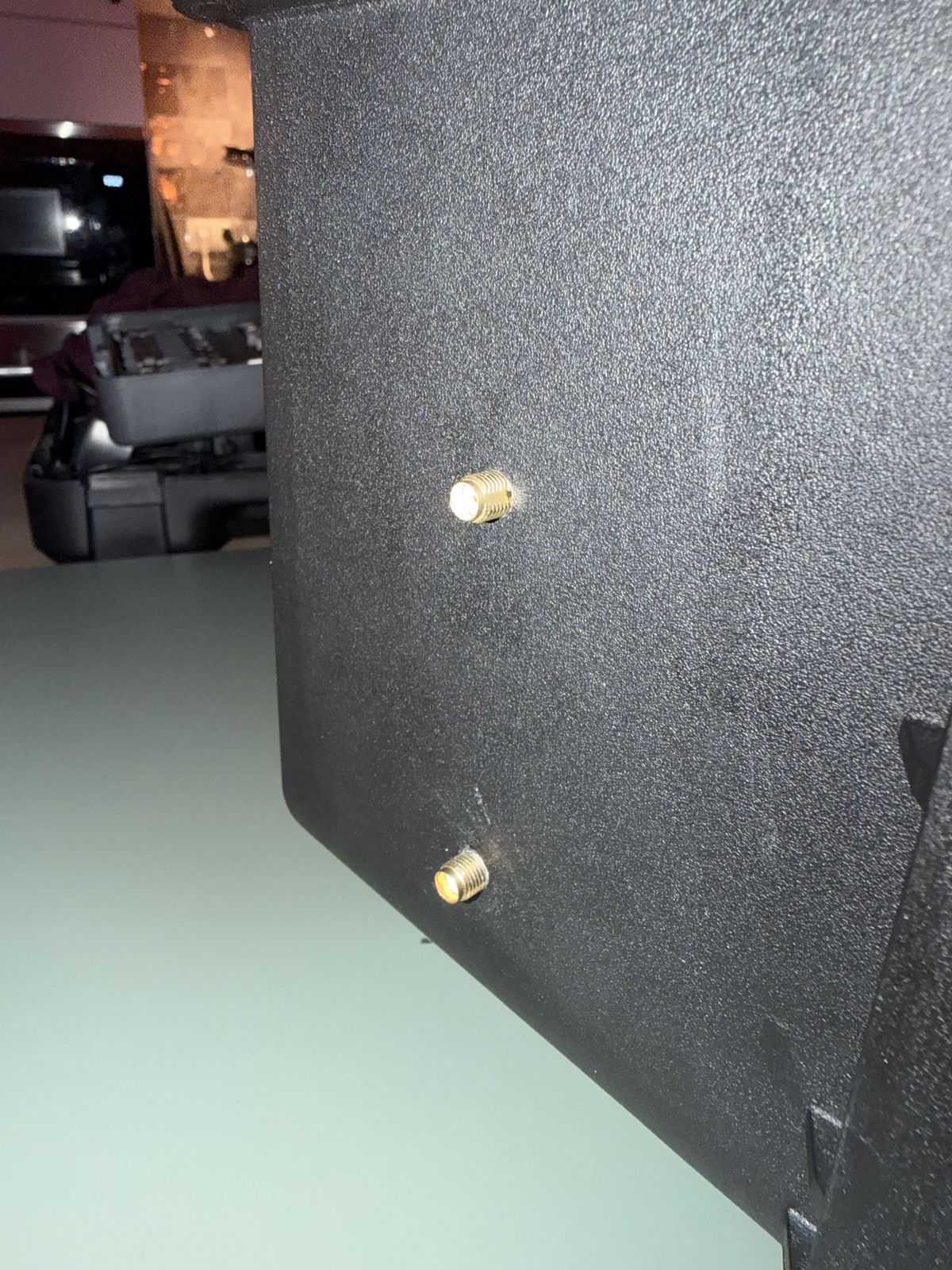
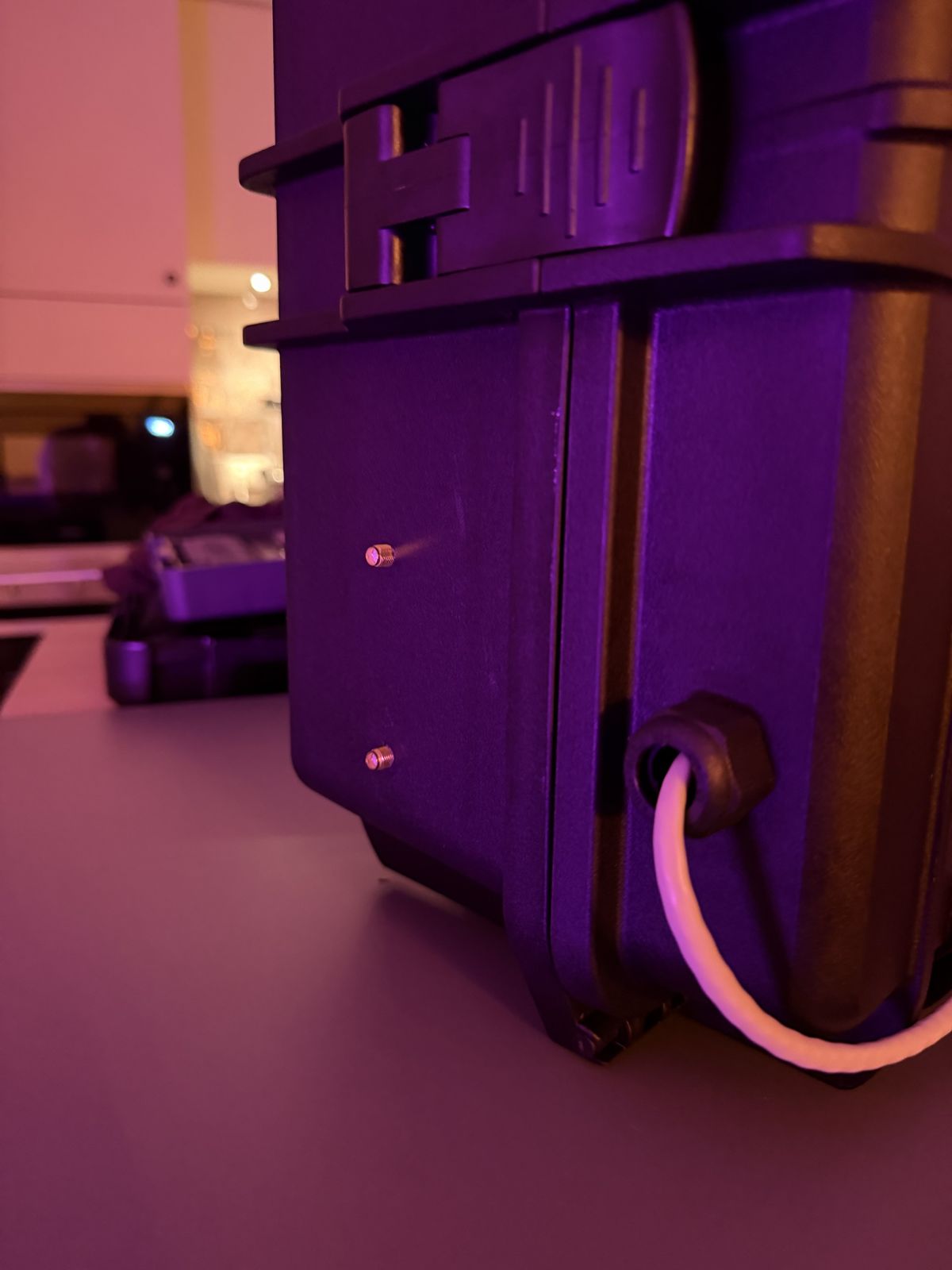
Screw both LTE antennas onto the connectors on the side of the case. Finger-tight is enough.Draai beide LTE-antennes op de aansluitingen aan de zijkant van de case. Handvast is genoeg.
The two antenna connectors on the side.De twee antenne-aansluitingen aan de zijkant. -
Feed the AP cable through the glandSteek de AP-kabel door de wartel
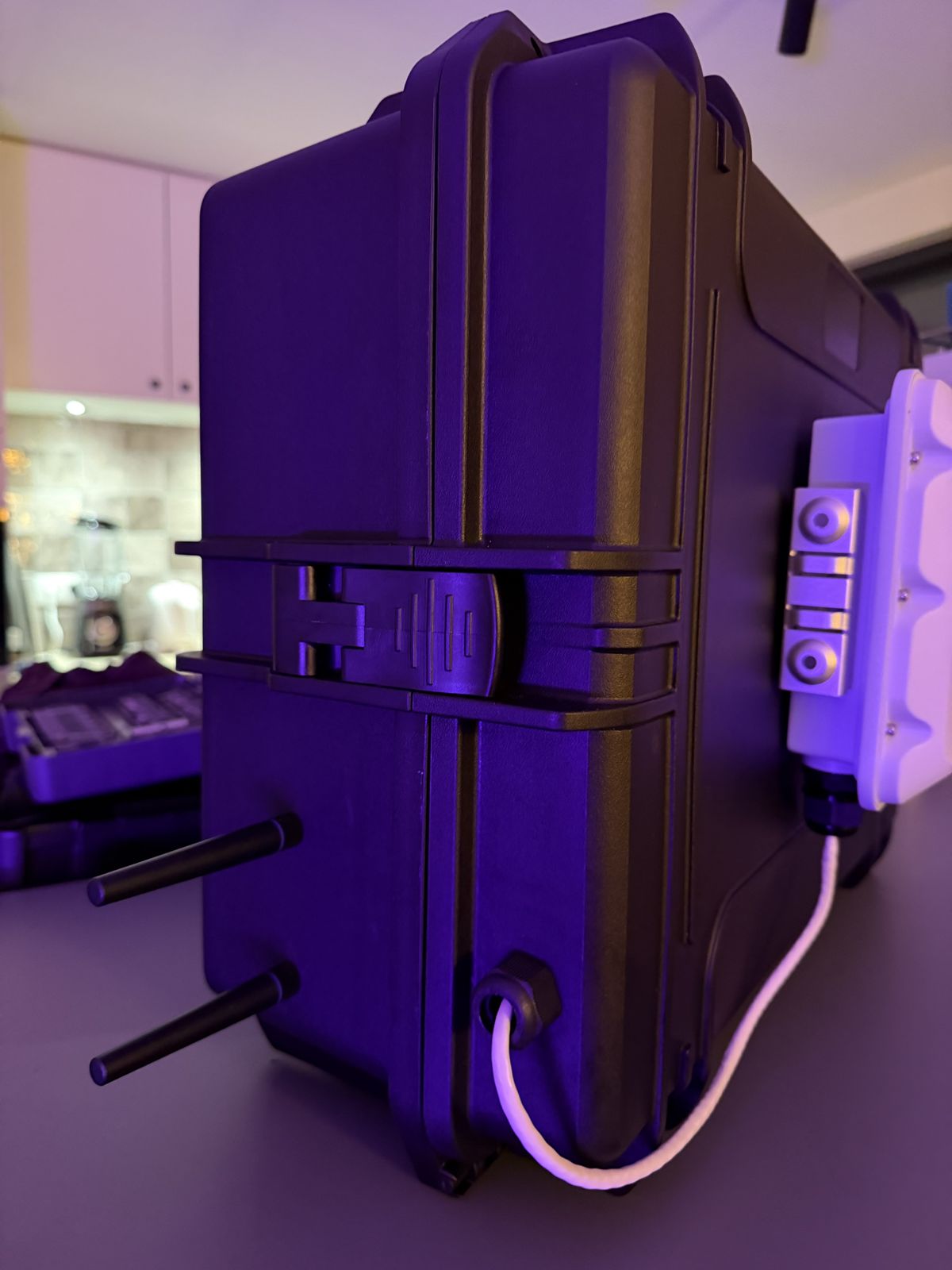
Push the cable of the Ruckus AP through the cable gland into the case.Steek de kabel van de Ruckus AP door de wartel de case in.
Cable gland with the AP cable.Wartel met de kabel van de AP. -
Connect it to the PoE injectorConnecteer hem met de PoE-injector
Inside the case, connect the cable to the PoE injector: the black box that gets its power through a plug. Use the port marked “POE”. It’s the only free port.Connecteer de kabel in de case met de PoE-injector: het zwarte bakje met stroomtoevoer via een stekker. Steek de netwerkkabel in de poort met “POE” op. Het is de enige poort die nog vrij is.
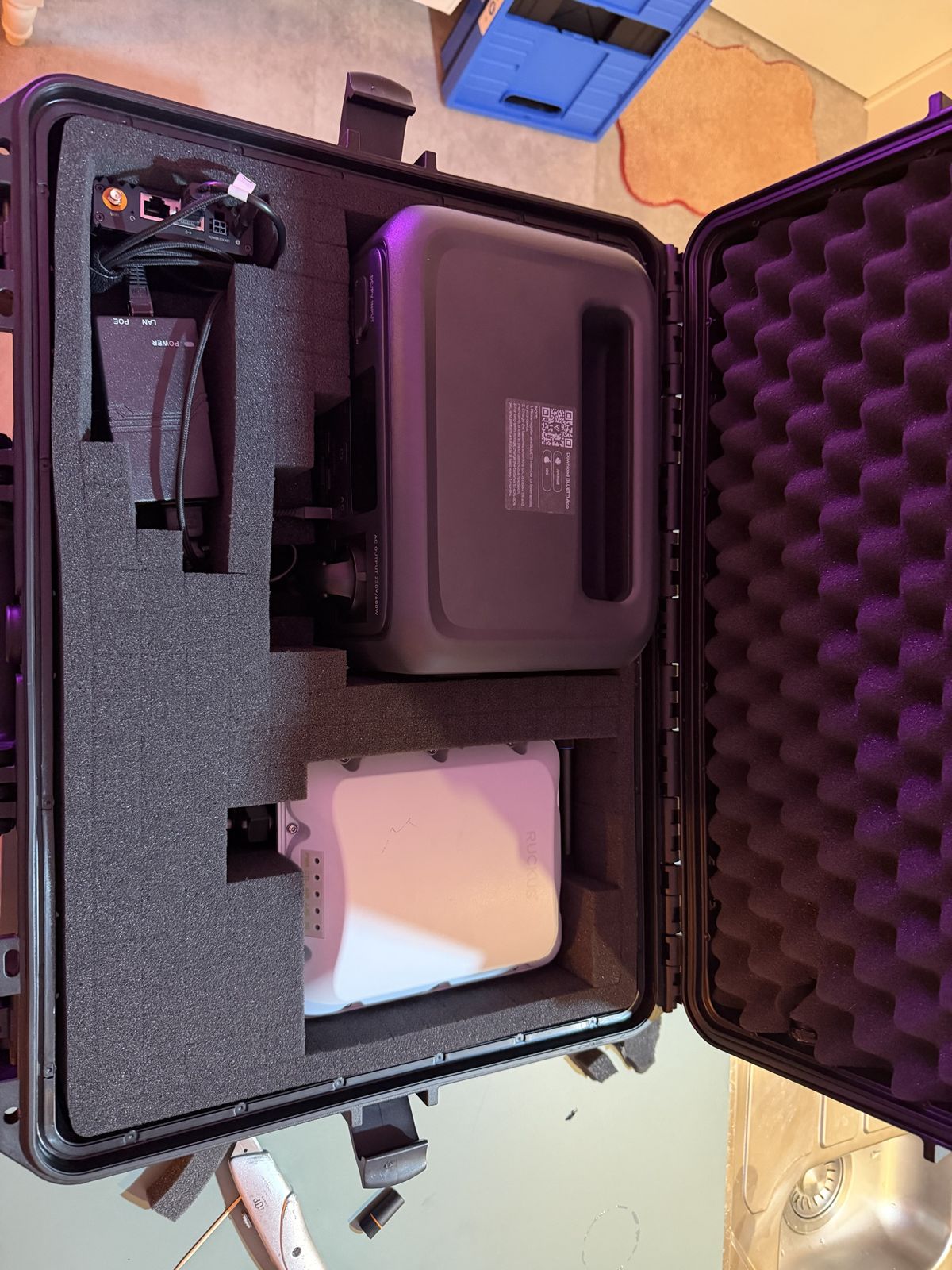
PoE injector top left, ports marked LAN and POE.PoE-injector linksboven, poorten LAN en POE. -
Click the AP onto its holderKlik de AP op de houder
Click the Ruckus AP onto the holder on the outside of the case.Klik de Ruckus AP op de houder aan de buitenkant van de case.
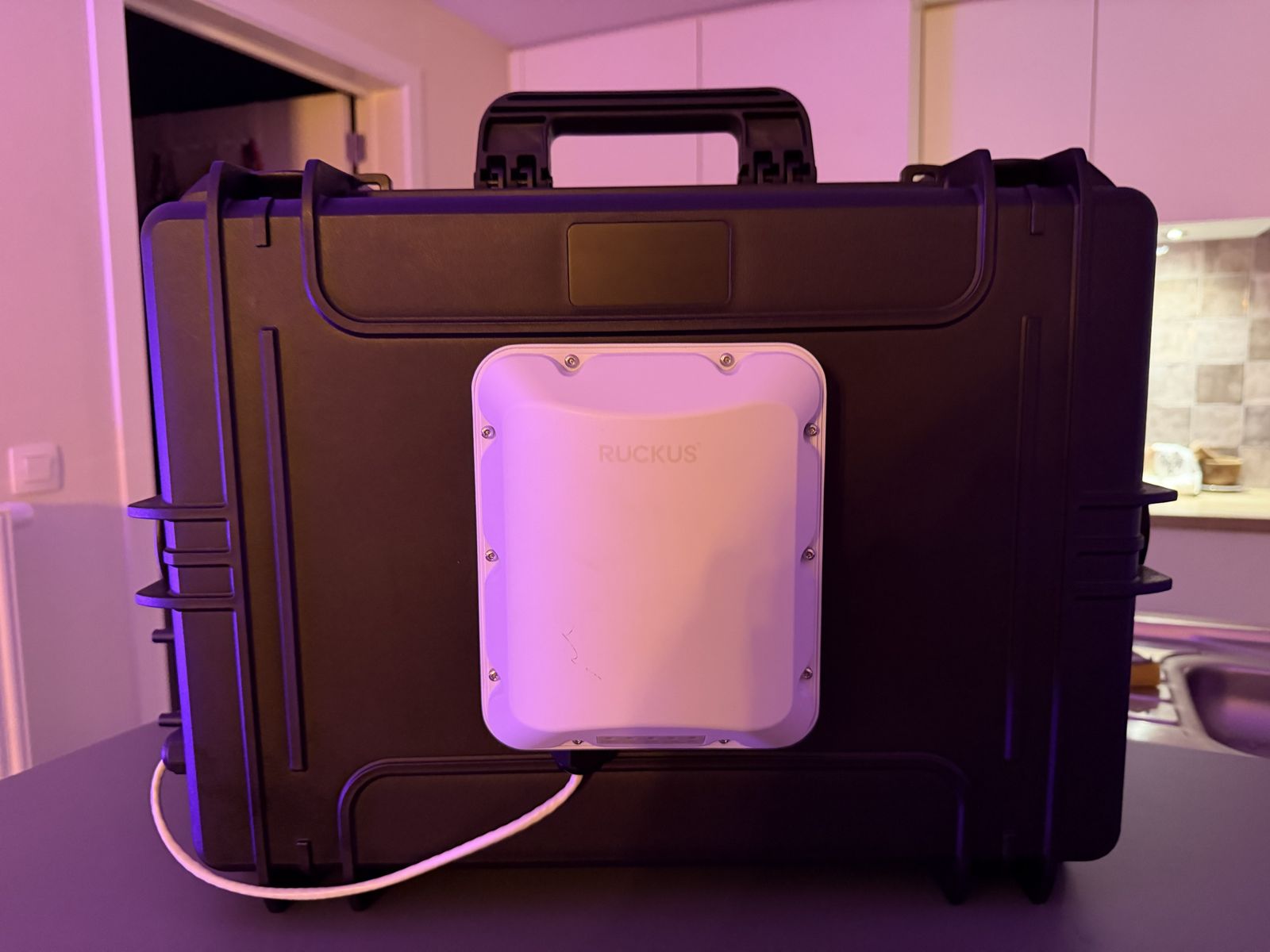
AP on its holder, cable to the gland.AP op de houder, kabel naar de wartel. -
Switch on the batteryZet de batterij aan
Switch on the Bluetti and make sure the AC and DC buttons light up green.Zet de Bluetti aan en zorg dat de knoppen AC en DC groen branden.
Photo to add: Bluetti with AC and DC lit greenFoto toevoegen: Bluetti met AC en DC groen -
Everything starts upAlles start op
The router and the AP start by themselves. Give it a few minutes, then test the WiFi with a phone.De router en de AP starten vanzelf op. Geef het een paar minuten en test de wifi met je telefoon.
-
Close the caseSluit de case
Close the lid and snap both latches shut.Doe het deksel dicht en klik beide sluitingen vast.
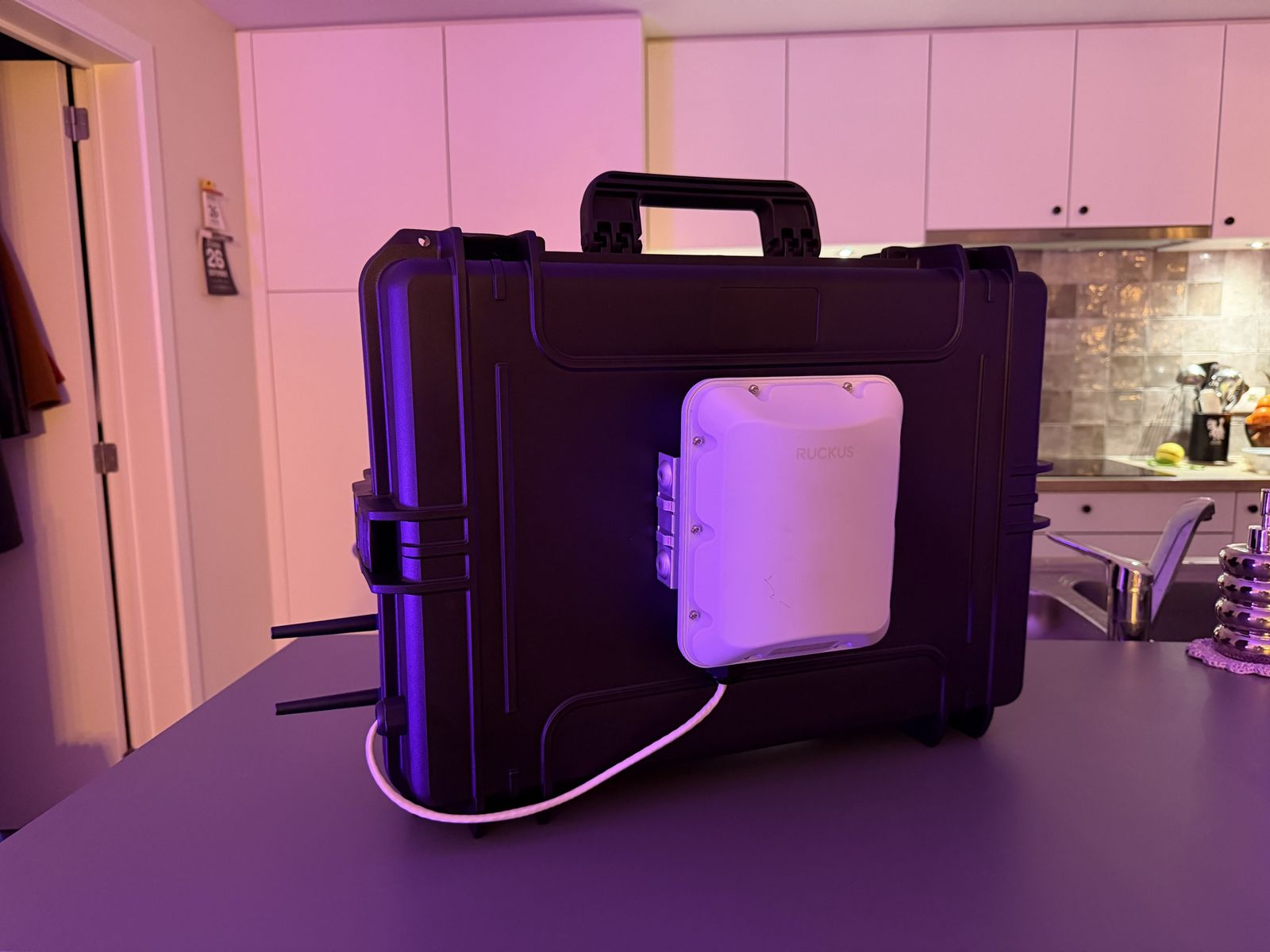
Ready for use.Klaar voor gebruik.
During the gameTijdens de wedstrijd
Getting ready for transportKlaarmaken voor transport
-
Unclip the APKlik de AP los
Click the Ruckus AP out of its holder.Klik de Ruckus AP uit de houder.
-
Disconnect the AP cableKoppel de AP-kabel los
Open the case and unplug the Ruckus AP’s cable from the PoE injector.Open de case en koppel de kabel van de Ruckus AP los van de PoE-injector.
-
Pull the cable back through the glandHaal de kabel terug door de wartel
Unscrew the outer part of the cable gland and push the network cable back out through it.Draai de buitenkant van de wartel op de case los en steek de netwerkkabel er terug door.
Careful with the little clip on the RJ45 plug: it snaps off easily.Pas op met het lipje aan de RJ45-connector: dat breekt makkelijk af.
-
Put the AP back in the caseLeg de AP terug in de case
Put the Ruckus AP back in its pocket, with the network cable along the side of the AP.Plaats de Ruckus AP terug in de case en laat de netwerkkabel langs de kant van de AP zitten.
-
Stow the LTE antennasBerg de LTE-antennes op
Unscrew the LTE antennas and put them back in the case.Draai de LTE-antennes los en plaats ze terug in de case.
-
Switch off the batteryZet de batterij uit
Switch off the Bluetti.Zet de Bluetti uit.
-
Close the caseDoe de case dicht
Close the lid and snap both latches shut.Doe de case terug dicht en klik beide sluitingen vast.
Charging and storageOpladen en opbergen
When something doesn't workAls iets niet werkt
| What you seeWat je ziet | What to checkWat je controleert |
|---|---|
| No WiFi network visibleGeen wifi-netwerk te zien | Do the AC and DC buttons on the Bluetti glow green? Is the injector's POWER light on? Is the AP cable in the port marked POE?Branden de knoppen AC en DC op de Bluetti groen? Brandt het POWER-lampje van de injector? Zit de AP-kabel in de poort met POE? |
| WiFi, but no internetWel wifi, geen internet | Are both antennas screwed on? Does the SIM have data? Check the UMR in the UniFi app. Try the case higher up or on the other side of the field.Zitten beide antennes erop? Heeft de simkaart data? Kijk naar de UMR in de UniFi-app. Zet de case hoger of aan de andere kant van het veld. |
| Everything goes off after a whileAlles valt na een tijdje uit | ECO mode is on in the Bluetti app: turn it off for AC and DC.De ECO-modus staat aan in de Bluetti-app: zet hem uit voor AC en DC. |
| WiFi weak in the standsWifi zwak op de tribune | Turn the access point side towards the stands, place the case higher, and keep people and metal out of the line of sight.Draai de kant met het access point naar de tribune, zet de case hoger en houd mensen en metaal uit de zichtlijn. |
| Battery runs out earlyAccu eerder leeg | Was it charged to 100 %? Check the draw in the Bluetti app; around 30 W is normal.Was hij volgeladen tot 100 %? Kijk naar het verbruik in de Bluetti-app; rond de 30 W is normaal. |
SpecificationsSpecificaties
| PartOnderdeel | Key figuresBelangrijkste gegevens | PowerVermogen |
|---|---|---|
| Bluetti Elite 30 V2 | 288 Wh LiFePO4, 600 W AC, 250 × 178 × 167.5 mm, 4.3 kg288 Wh LiFePO4, 600 W AC, 250 × 178 × 167,5 mm, 4,3 kg | – |
| UniFi UMR Ultra | 4G LTE Cat 4, up to 150 / 50 Mbps, 84 × 82 × 26 mm4G LTE Cat 4, tot 150 / 50 Mbps, 84 × 82 × 26 mm | 5.7 W maxmax. 5,7 W |
| Ruckus T350c | Outdoor Wi-Fi 6, 2.4 + 5 GHz, power over EthernetWi-Fi 6 voor buiten, 2,4 + 5 GHz, voeding via netwerkkabel | 13.2 W maxmax. 13,2 W |
| PoE injector + AC socketPoE-injector + stopcontact | Mains PoE injector on the Bluetti's AC outputPoE-injector op 230 V, via de AC-uitgang van de Bluetti | ≈ 10 W losses≈ 10 W verlies |
| TotalTotaal | Runtime on a full chargeLooptijd op een volle accu | ≈ 30 W · 7–8 h≈ 30 W · 7–8 uur |